
Giáo án Tiếng Anh 8 - Tiết 93 (Bản đẹp 3 cột)


Bạn đang xem tài liệu "Giáo án Tiếng Anh 8 - Tiết 93 (Bản đẹp 3 cột)", để tải tài liệu gốc về máy bạn click vào nút DOWNLOAD ở trên
Period 93
UNIT 15 COMPUTERS
Lesson 2 Speak + Listen .
Objective : By the end of the lesson, Students will be able use some common useful expressions to express agreement and disagreement.
Materials : posters, cassette players .
Procedure :
Timing
Contents
Teacher and Students’ activities.
3
 Useful , delicious , dangerous , fun, interesting , comic book , rain , car , hamburgers , time consuming .
I. Warmer :
 Bingo
12
In daily life , We always have to give and respond to opinions. We will learn further about this topic in today ‘s lesson.
à New words :
 - insert coin ( v) nhét đồng xu vào
 - press button (v) ấn nút
 - circle (n) hình tròn
 - triangles (n) hình tam giác
Opinions
Agreement
Degree of agreement
Disagreement
I like..
I don’t like ..
I think ...
T feel
I don’t believe
So do I
I agree.
You’re right.
Neither do I
I agree but ,
Yes, but on the other hand
I disagree.
I can’t agree with you .
No,I think
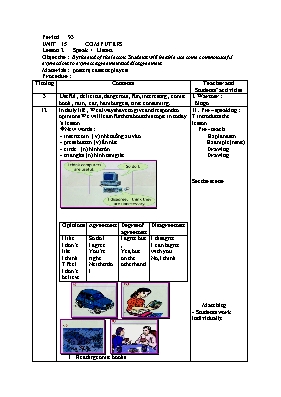
Reading comic books.
playing in the rain .
driving a car.
eating hamburgers .
II . Pre – speaking : T introduces the lesson
 Pre - teach
 Explanation
 Example(mime)
 Drawing
 Drawing
Set the scene
 Matching
- Students work individually.
10
I think driving car is dangerous.
I like reading book.
I feel playing in the rain is fun .
I don’t like eating hamburgers.
S1 : I think driving car is dangerous.
T : so do I .
III.While -speaking
 Answer key
b 2. c. 3.a 4. d
 Words + picture drills.
 - T and a good student model.
- Two pairs present.
-Teacher corrects their pronunciation.
3
Computers have lots of benefits . However , computers sometimes go wrong due to technical problems . What are the problem ?
Lan: I am having problems with my printer .
Ba: What ‘s wrong ?
Lan: It doesn’t work. I think it’s broken .
Ba : No, You didn’t plug it in !
Lan: Oh sorry .
Mouse / doesn’t work / check the plug
Monitor / screen is too dark / adjust the knob
IV.Post – listening :
 Present the dialogue and have students repeat sentense by sentense .
Call on one pair present .
 Student make similar dialogues .
3
Do you know the way to get a drink from a machine ?
V. Pre– listening :
 Pre - questions
 You look at the flow chart
 - understanding the meanings of all the shapes used in the chart .
12
 Find a
Start machine a)? b)?
 c)?
 Insert
 Coins &
 d) press Lemon
 button Soda
Do you have the correct change?
Yes
What do you want to drink?
Take it
VI .While –listening :
 Gap fill
2
- Learn new words by heart.
Prepare lesson 3 read p. 141 ,142
 Freshman, jack , restrict , bulletin
VII . Homework :
UNIT15 : SPEAK(PAGE139)
TAPE TRANSCRIPT
Computers programmers use flow chart to help people understand how events are sequenced . All the shapes on this chart have a particular meaning . For example , the circles indicate a starting or stopping point , the triangles are questions and the ovals are answers.
This flow chart shows how to get a drink from a machine . It shows that the first step is to find a machine . Next ask yourself if you have the correct change . When the answer to this question is “yes “ ask yourself what you want to drink . for example , lemon soda .Finally, insert the coins and press the button to choose the drink you want . Once a drink appears , you may take it from the machine .
Tài liệu đính kèm:
 giao_an_tieng_anh_8_tiet_93_ban_dep_3_cot.doc
Đề thi liên quan
 Đề kiểm tra chất lượng học kỳ II môn Tiếng Anh Lớp 8 (Thí điểm) - Năm học 2015-2016 - Trường THCS Long Thuận
 Lượt xem: 65
 Lượt tải: 0
 Đề kiểm tra học kỳ I môn Tiếng Anh Lớp 8 - Năm học 2014-2015 - Phòng GD & ĐT Châu Thành (Có đáp án)
Lượt xem: 587
Lượt tải: 0
Đề kiểm tra học kỳ I môn Tiếng Anh Lớp 8 - Năm học 2014-2015 - Phòng GD & ĐT Châu Thành (Có đáp án)
Lượt xem: 587
Lượt tải: 0- Giáo án Tiếng Anh Lớp 8 (Thí điểm) - Tiết 1 đến 25 - Năm học 2016-2017
Lượt xem: 671
Lượt tải: 0
- Đề và đáp án kiểm tra một tiết Tiếng anh lớp 8 - Năm học 2016-2017 - Trường THCS Lương Thế VInh
Lượt xem: 825
Lượt tải: 1
- Đề kiểm tra Tiếng Anh Lớp 8 (Có đáp án)
Lượt xem: 1653
Lượt tải: 1
- Đề kiểm tra số 1 học kì II Tiếng anh lớp 8 (Có đáp án)
Lượt xem: 864
Lượt tải: 0
- Đề kiểm tra học kì I Tiếng anh lớp 8 - Năm học 2016-2017 - Trường THCS Bồ Lý
Lượt xem: 875
Lượt tải: 0
- Đề kiểm tra một tiết Tiếng anh lớp 8
Lượt xem: 1164
Lượt tải: 0
- 2 Đề kiểm tra học kỳ II môn Tiếng Anh Lớp 8 - Năm học 2010-2011 - Trường THCS Vĩnh Thành (Có đáp án)
Lượt xem: 688
Lượt tải: 0
 Bài tập Tiếng Anh Khối 8
Lượt xem: 794
Lượt tải: 0
Bài tập Tiếng Anh Khối 8
Lượt xem: 794
Lượt tải: 0
Copyright © 2026 ThuVienDeThi.com, Thư viện đề thi mới nhất, Đề kiểm tra, Đề thi thử

